This is a fun game you can play while surfing your favorite traffic exchanges. The goal is to cook wonderful dishes with ingredients you have collected. When you cook a recipe, you will earn points. The people with the most points at the end of the week will earn a Prize.
When you are a new member, you should begin this game by playing the short Tutorial. In the Tutorial you will learn your first recipe and get a few other useful gifts. If you start the Tutorial, you can always come back to the step you previously ended on, if you click the Tutorial link in the member home page again. You can also always come back to this Help page and read about how everything works. Press Ctrl F to open a search box in your browser, if you are looking for something specific.
There are a total of over 170 recipes you can learn how to cook. The recipes are divided into different recipe books, each from a different country in the world. Each book contains 3 types of recipes; common recipes, rare recipes and super rare recipes.
To learn a recipe, you need to attend a Cooking Class. There are two types of cooking classes, Normal Cooking Class (NCC) and Gourmet Cooking Class (GCC). By using Cooking Class tickets, you immediately learn recipes. You can see which recipes you have learned in the Recipe book. The Cooking Class tickets look like this:


For each Normal Cooking Class ticket you collect, you will receive a common (60% chance) or a rare recipe (40% chance). For each Gourment Cooking Class ticket you collect, you will receive a common (50% chance), a rare (30% chance) or a super rare (20% chance) recipe.You will earn tickets for Cooking classes by surfing at the featured traffic exchanges of the week. The featured sites are listed on member home page.
There are 10 levels of each recipe. If you have learned a recipe, you have a chance of improving it when you attend a Cooking class. Levelling up a recipe means you get more points from cooking it. Once you have reached level 10 in a recipe, you would get a Gold prize if you use a Cooking Class ticket which would level up this recipe.
You need between 4 and 8 ingredients to cook each recipe. The more rare a recipe is, the more ingredients are used to cook it and the more points you get for cooking it. But the ingredients also come with different rarity levels. There are a total of 84 different ingredients you can find, and each ingredient has a rarity of between 1 and 10. A level 1 ingredient is common, while a level 10 ingredient is very rare. You can see all the ingredients and their rarity level on the Ingredients List under the Ingredients tab. You can see which ingredients you currently have on the My Ingredients page under the Ingredients tab.
You can select a Special Ingredient through your blue dashboard on member home page. It can be a rare ingredient or something you really need to finish a recipe. When you have selected a Special Ingredient, you have a chance to find it with each claim when surfing in the Tasty or Delicious sites. If you don't select a Special Ingredient, you will get 5 experience points from Tasty sites and 10 experience points from Delicious sites.
You can earn some bonus ingredients daily by viewing some ads in the Food Game. Free members can get 10 random ingredients, and Master Chefs can get 30 random ingredients. To do this, go to the Surf 25/50 for Bonus Ingredients page under the Ingredients menu, or click the "Earn bonus ingredients" link in your blue dashboard on member home page.
New members can store up to 2500 ingredients in their account. It is also possible to update your Fridge (where your ingredients are stored) in several levels so that you can hold a total of 7500 ingredients. The Fridge can be upgraded on the My Kitchen page under the Cooking menu. If you don't log in to your Food Game account for 6 months, your ingredients will expire and disappear.
To collect ingredients for the recipes, you need to surf in any of the participating traffic exchanges. You can find which sites they are on the Participating Sites page, which is also a Downline builder. Don't forget that you need to enter your referral ID for a traffic exchange in the Downline builder before you can start collecting ingredients in that website.
The Food Game will appear in the top surfbar of the participating websites when you surf there, once every 25 pages you have surfed. Click the chef hat icon to open the game. It will open in a popup window, so it will not interefere with surfing or advertising on that traffic exchange. You must allow popups in your browser to be able to claim an ingredient. The game icon looks like this. Free members have 2 minutes to click it after it appears to be able to claim the prize, and upgraded members (Master Chefs and Premium site partners) have 15 minutes to click it:

If you forgot to fill in your referral ID for that website in our list of Participating Sites when you open the game page, you can keep the game window open while you come here to fill in your ID. Simply refresh the game page once you have saved your referral ID to collect your ingredient. You only need to save your ID for each website you play in once. You may not fill in anyone else's referral ID.
You can also earn some bonus ingredients by viewing ads in the Food Game. Free members can view 25 ads to earn 10 bonus ingredients. Master Chefs (upgraded members) can view 25 ads to earn 10 bonus ingredients, or view 50 ads to earn 30 bonus ingredients. You will not earn any advertising credits while viewing the ads. However, you can Buy Advertising, or gain credits by Upgrading your account. There is no use viewing more ads after you've reached 25 pages as a free member or 50 pages as a Master Chef.
As you can see in the list of participating sites, there are websites that host the free version of the Food Game, and websites that have an upgraded version. We refer to them as Free Partners and Premium Partners. There is no limit on how many times you can claim ingredients in any traffic exchange. However, the websites that offer the free version of the game will only give out ingredients with rarity 1-6 (out of 10 rarity levels in total) and Gold. The sites that offer the upgraded version of the Food Game will give you ingredients of all rarity levels, as well as Cooking Class tickets and Cooking Vouchers.
In the weekly partner sites, Delicious and Tasty sites, you can find much larger prizes and more rare ingredients no matter if they are Free or Premium Partner sites. You can also get some bonus ingredients if you view some ads in the Food Game under the "Ingredients" menu; Surf 25/50 for bonus ingredients. Free members can get 10 bonus ingredients and upgraded members (Master chefs) can get 30 bonus ingredients.
To cook a dish, you must have a recipe and all the ingredients that are needed for that recipe plus 1 Cooking Voucher. The ingredients next to your recipes in the Recipe book are surrounded by a green border if you have them. Once you have all the ingredients, you can cook the dish in your Kitchen.
There are two Prepare buttons, one green and one yellow. When you use the green prepare button, 1 ingredient of each will be used and you get normal points. When you use the yellow prepare button, 3 ingredients of each will be used. You get 5-15% more points and double the chance of getting a Masterpiece dish.
You need 1 Cooking Voucher to cook each dish, no matter if you use the green or yellow prepare button. They can be found in the weekly featured sites, Delicious and Tasty sites, but also in the Premium Partner sites. Master Chefs (upgraded members) can find them even in Free Partner sites.
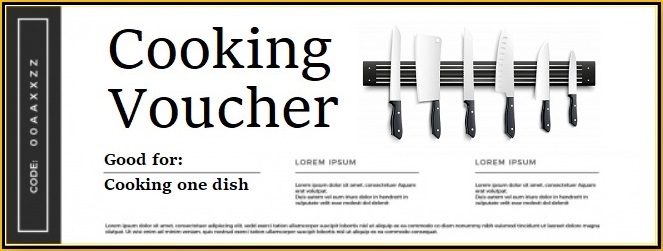
If you run out of Cooking Vouchers, you won't be able to cook a dish even if you have all the ingredients for it. Cooking Vouchers, as well as all types of ingredients, can be bought and sold in the Marketplace. You can also trade ingredients for Cooking Vouchers on the Trade with the Bank page under Ingredients - Trade Ingredients.
When you cook a dish, you will earn points from 5 judges; John, Alix, Bao, Carlo and Ysidro. You can see your current ranking and the top chefs on the Leaderboard. The amount of points you get from cooking a dish depends on a few things:
-How rare the recipe is
-Which skill level you have reached in that specific recipe
-The rarity level of the ingredients used for the recipe
-Your experience chef level
-Which level your kitchen is
-A small level of chance
-How many Badges you have
-The judges preferences
This means that you will not always get the same amount of points from cooking the same recipe. As you gain more experience, reach higher levels of your recipes and upgrade your kitchen, you will earn more points. This is how we calculate points exactly:
1: Recipe level + recipe rarity (common 3, rare 5, super rare 10) a + total rarity of ingredients used + (0.05 x your amount of badges) + (2 x your kitchen level)
2: The result from the formula above + (your exp level x 0.025) + random number 1-12
3. The result of the formulas above plus taking into consideration the judges preferences.
These are the judges and their different preferences:
 |
 |
 |
 |
 |
John prefers Spanish food, but hates American food. He loves Garlic, but hates Cheese. He is feeling extra good on Fridays, so he gives more points than usual then.
Alix prefers Greek food, but hates Japanese food. She loves Tomato, but hates Pork. She is feeling extra good on Thursdays, so she gives more points than usual then.
Bao prefers Chinese food, but hates Russian food. He loves Ginger, but hates Sausage. He is feeling really grumpy on Wednesdays, so he gives less points than usual then.
Carlo prefers Italian food, but hates Indian food. He loves Celery, but hates Cumin. He is always grumpier than the other judges. He is feeling extra grumpy on Sundays, so he gives even less points than usual then.
Ysidro prefers Mexican food, but hates French food. He loves Chili, but hates Broth. He is feeling extra good on Mondays, so he gives more points than usual then.
A Masterpiece is a dish that gives a lot more points than usual. It comes up when a certain number of dishes has been cooked total in the site, by all members combined.
When cooking normal point dishes, using the green prepare button, one in 5000 will be a Masterpiece dish for free members, and one in 2500 for Master Chefs. When cooking bonus point dishes, using the yellow prepare button, one in every 2500 dishes will be a Masterpiece for free members and one in 1250 for Master Chefs. There are 3 types of Masterpiece dishes:
Perfect: 20% extra points
Epic: 40% extra points
Legendary: 60% extra points
If you cook a Masterpiece dish, there is a 50% chance it will be a Perfect dish, a 35% chance it will be Epic, and a 15% chance it will be Legendary. If you cook a Masterpiece dish, you will also win Gold. You win 5000 Gold for a Legendary dish, 2500 Gold for an Epic dish and 1250 Gold for a Perfect dish.
Sometimes when you click the game claim page, you will earn Gold. Gold can be used for many things. It can be used in the game, to upgrade your kitchen or buying Cooking Vouchers and ingredients in the Marketplace. You can also use it to buy upgrades, credits or Piggy Bank funds in many of the participating traffic exchanges in the Partner Shop. Gold is also used to book the Tasty and Delicious weekly partner sites, and Spicy top surfing contest sites. You can buy Gold with your Piggy Bank balance. Regular gold can not be converted to commissions or paid out.

Sometimes you get a very large gold prize when you claim the prize in a Delicious or Tasty site. You will also earn gold by viewing and rating the Login Spotlight ad, from different daily quests such as Special Orders, and you can win it from the daily login prize on the bottom of the homepage.
You can see your experience level as a chef in your blue dashboard on the member home page, and on the leaderboard. The higher level you are, the better chef you are and you will cook better dishes which generates more points. You receive experience points by using Cooking Class tickets, 10 for Normal Cooking Class tickets and 100 for Gourmet Cooking Class tickets, but also from cooking recipes, claiming prizes in the participating sites and sometimes from the daily login gift.
You start the game at level 1, but when you have 150 experience points you will reach level 2. Then you will need 150 points plus what your previous level was x10 in points. If are level 2, you will need 150 + (10 x 1) points to reach level 3. If you are level 90, you will need 150 + (10 x 89) points, which equals 1040 points.
For the first 100 levels, you will get a new chef title with each 10 levels you reach. You will still increase your level after reaching Supreme Chef, it is just the highest title. These are the titles:
1-9: Dishwasher
10-19: Kitchen Assistant
20-29: Kitchen Porter
30-39: Saucier
40-49: Pantry Chef
50-59: Line Cook
60-69: Senior Chef
70-79: Sous Chef
80-89: Executive Chef
90-99: Master Chef
100-999 Legendary Chef
1000+: Supreme Chef
(Please keep in mind that the experience chef levels does not have anything to do with the account levels (free member and upgraded Master chef level).
You can upgrade your kitchen to earn more points from each dish you cook. There are 10 kitchen levels, and each time you reach level 10, 20, 30 and so on, you can increase your kitchen level. Gold is used to upgrade the kitchen. Go to your Kitchen to upgrade it at the bottom of the page.
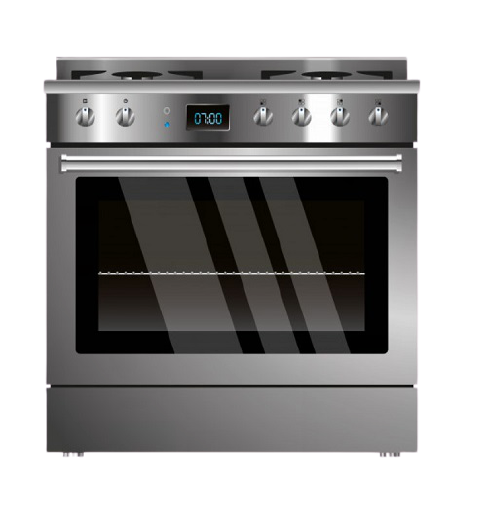
- Basic (this is the one you start with)
- Salad bar (25.000 Gold)
- Fast food place (50.000 Gold)
- Family diner (75.000 Gold)
- Steakhouse (100.000 Gold)
- Seafood restaurant (125.000 Gold)
- Luxury restaurant (150.000 Gold)
- Master chef restaurant (175.000 Gold)
- 1 star Michelin restaurant (200.000 Gold)
- 2 star Michelin restaurant (225.000 Gold)
- 3 star Michelin restaurant (250.000 Gold)
You can upgrade your fridge in order to be able to store more ingredients. You start off with the ability to store 2500 ingredients in total. For each level you upgrade your fridge, you can hold 250 extra ingredients up to a total of 5000 ingredients. Gold is used to upgrade the fridge. Go to your Kitchen to upgrade your Fridge, or click Upgrade next to Fridge in your dashboard.
If you have more ingredients than you can hold in your fridge, you can still keep them if you pay a fee. First, they will be moved to a cold storage, which you can reach from your Ingredients page. Your less rare ingredients will be moved first, so you get to keep your rare ones. But you can still move them back to your fridge - if you make room in your fridge. To make room in your fridge, you can either cook recipes, sell ingredients in the Marketplace or Trade them for something better.
It costs 10 gold per rarity level of each ingredient to get them back. For example, a Tomato will rarity 1 will cost you 10 gold, and Biscuits with rarity 10 will cost you 100 gold. You have 7 days to buy them back. If you don't, the extra ingredients will rot and get discarded after 7 days in the cold storage.
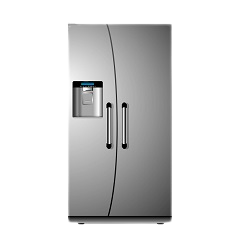
You start with a basic Cooler which can hold 2500 ingredients in total. These are the available fridge upgrade levels and how many ingredients you can store in each level:
- Cooler (this is the one you start with) - 2500
- Ice box - 2750 (5.000 Gold)
- Mini fridge - 3000 (10.000 Gold)
- Small fridge - 3250 (15.000 Gold)
- Medium fridge - 3500 (20.000 Gold)
- Large fridge - 3750 (25.000 Gold)
- Double door fridge - 4000 (30.000 Gold)
- 5 door fridge - 4250 (35.000 Gold)
- Commercial fridge - 4500 (40.000 Gold)
- Walk-in fridge - 4750 (45.000 Gold)
- Refrigerated storage - 5000 (50.000 Gold)
If you don't want to upgrade your fridge but you have too many ingredients, you can cook with them, Trade Ingredients with the bank or add them to the Marketplace. Any ingredients you have for sale in the marketplace are not included in your ingredient total. However, when or if a trade expires and your ingredients haven't been sold, they will be returned to you and will count again.
Every week, up to 3 partner websites may be featured on the member homepage as special sites, we call them Tasty (2 sites) and Delicious (1 site). You'll be able to claim better prizes than usual in the weekly featured sites. To see exactly what you can win, go to the Chef hat claim details page under the Home menu.
Both site owners and others can book a traffic exchange to be a Tasty or a Delicious site. The price is 25k Gold for Tasty and 50k Gold for Delicious. It will make the traffic exchange give out better prizes, and the website will have full visibility on the member home page for a full week. If you have filled in your referral ID for the traffic exchange in the list of Participating Sites, your referral ID will display there as well for your referrals, and for all their referrals in unlimited levels if their upline has not filled in their ID.
If you need gold to book the Tasty or Delicious site, visit the Gold Shop. You can buy Gold with your Piggy Bank balance, which can be funded with Card payment, Bank transfer, Bitcoin, Litecoin, Wise, Uphold or Skrill.
The Marketplace page under the Ingredients menu is the place if you want to buy or sell your ingredients for Gold. To create a sale, click one of your ingredients. Enter how many you want to sell and the total price. If you create a sale of more than one of the same ingredients, keep in mind that you must enter the total price for all those ingredients. You can see the suggested price per ingredient, and an average price of the available ones on the Marketplace right now.
Once you've filled in how many you want to sell and the total price, click "Confirm". You will then see a summary of your sale, and you will see the fee. The fee is 10% of the price you are selling for, and you pay it in advance. If you change your mind and remove your sale within 1 hour, your fee will be returned to you. If more time passes, the fee will be lost. You also lose the fee if your trade expires.

When someone buys your ingredients, you will immediately and automatically recieve gold for it. If no one buys your ingredients, they will be returned to you after the expiry date which is 1 week from when you list your sale. Once you have listed ingredients for sale, they appear on top of your main Marketplace page. You can click one of the items you have up for sale to remove it from the market.
To buy ingredients from others, click to view the Marketplace and then click the ingredient you are interested in buying. You can see the name of the seller, how many they are selling, the price in total and the price per piece. Click "Buy" next to your selected sale to purchase it.
It's also possible to create buy orders in the Marketplace. There is a fee of 1 gold per item in your buy order, which will be returned to you if you change your mind within 1 hour. If no one sells you the items in your buy order within 1 week, your buy order is removed.
The Trade Ingredients page under the Ingredients menu lets you trade ingredients with the bank. If you have more than 5 of the same type of ingredient, you can trade it for other ingredients as well as Normal and Gourmet cooking class tickets.
Beware though, it's always a gamble when trade for other ingredients! There are 84 different ingredients in the game, so there is a small chance you can get the same one as the one you traded away.
Each day, all Premium Partner sites can schedule the A la Minute event daily. It is a secondary premium event where you can get extra prizes from surfing in the scheduled traffic exchange. During A la Minute, you only have 20 minutes to claim a certain number of Food Game prizes in the scheduled traffic exchange. The default number is 3, but traffic exchange owners can change this number depending on their surf timer.
If you complete the A la Minute challenge in a traffic exchange, go back to your home page in the Food Game and claim your A la Minute prize during the next 20 minutes. A claim link will be available next to your completed challenge.
You will win a bonus prize of 3 ingredients and 1 cooking voucher when you complete it. You can see the full schedule on the A la Minute page, and the next upcoming six A la Minute challenge slots on the member homepage. If they have been booked you can see which website to surf and how many claims to make there.
You can also prepare for upcoming A la Minute events by surfing less than 25 pages in the site or sites that are coming up, so that you will be much closer to the first Food Game prize when the event starts. For example, if you need to make 3 claims, that would equal 75 pages surfed and you have 20 minutes to do that. However, if you surf 24 pages before the event starts, you would only have to surf 51 pages in the 20 minutes of the event.
Once every 20 minutes there will be a new, urgent Special order. It means that a random dish will come up in a list on the Special Orders page under the Cooking menu. You can also reach it by clicking the menu sign on the member home page.
There is a certain number of dishes required in each Special order; from 1 and up to 30. The first members who cook this dish will win a prize. If only one is required, only one member will win. If 30 is required, the first 30 people will win. If no one has cooked the required dishes within 6 hours, the order will expire. Click the "Claim prize" link that appears on the Special Orders page after cooking an order to get your prize.
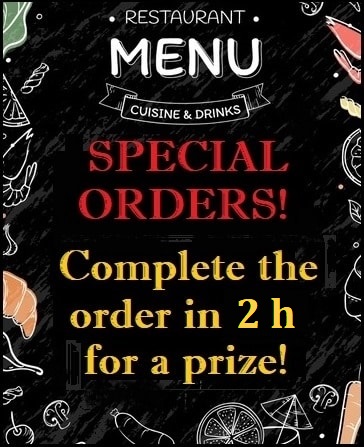
You can only claim a prize from cooking the Special order once per order, and you have 2 hours to claim your prize. After cooking the requested dish, go back to the Special Orders page and claim your prize. You will win 10 gold, 5 experience points and rarity level 1-5 ingredients; 2 for common recipes, 4 for rare recipes and 6 for super rare recipes.
Special Orders are one part of the weekly contests. The 10 people who cook the most Special Orders during the week will win a prize. The point towards the leaderboard is added when you click the "Claim prize" link, and not when the actual dish is cooked.
A smorgasbord is a buffet with many small dishes. In this daily challenge, which is dynamic and depends on how many Premium Partner sites there are. You can always see on Smorgasbord page under the Cooking menu how many claims you need to claim the prizes, and in which sites you have already claimed it. If there are two parts in the Smorgasbord challenge, it works like this:
1. Claim one Food Game prize from at least half of the Premium Partner sites. If you do, you win 8 Cooking Vouchers and 2 of your Special ingredient.
2. Claim one Food Game prize from all except 3 the Premium Partner sites. If you do, you win 12 Cooking Vouchers and 3 of your Special ingredient.
If there are 3 parts, it works like this:
1. Claim one Food Game prize from a little more than a third of the Premium partner sites. If you do, you win 4 Cooking Vouchers and 1 of your Special ingredient.
2. Claim one Food Game prize from a little over half of the Premium partner sites. If you do, you win 6 Cooking Vouchers and 2 of your Special ingredient.
3. Claim one Food Game prize from all except 3 the Premium partner sites. If you do, you win 10 Cooking Vouchers and 3 of your Special ingredient.
The number of sites you have to surf in this challenge will vary. If there aren't very many, there may only be one prize. If the number of Premium Partner sites increases a lot, there will be more prizes to claim for this challenge.

This means that you can get 20 vouchers and 6 of your special ingredient in total. Go back to the Smorgasbord challenge page after surfing in the Premium Partner sites to claim your prize. This challenge resets daily, so you can win every day.
Each day, 3 sites are Spicy Sites. In each Spicy Site there are 5 prizes that will be awarded to the players who claim the most Food Game prizes in that traffic exchange on that day. You can see which traffic exchanges are Spicy sites, the current leaderboard, as well as the upcoming Spicy Site schedule on top of the member home page. Prizes are awarded in the Food Game automatically at reset:
1: 10 Gourmet Cooking Class tickets
2: 5 Gourmet Cooking Class tickets
3: 10 Normal Cooking Class tickets
4: 100 Website credits
5: 50 Website credits
There is also a 1% chance that the top 10 surfers in each of the 3 Spicy sites all win the best prize. We draw a Spicy number every day, a random number between 1 and 100. If the Spicy number is 45, everyone in the leaderboard will win! Why 45? In southern Italy, it is a tradition and recommended that you bet on number 45 if you dream about hot peppers. Anyone can book a traffic exchange to be the Spicy site and it costs 10k Gold to book.
Each day, 3 random Premium Partner sites are selected as Sweet Sites. Anyone who is a level 50 or higher chef can unlock one, two or all three of them for a price of 1000 Gold each. After unlocking a Sweet Site and claiming 4 prizes from that site, you will earn 2 Gourmet Cooking Class tickets.
You must claim the 4 prizes after unlocking the Sweet Site. On the fourth claim page, you will automatically also win the tickets.
You can buy upgrades and credits from some of our partner sites through the Partner Shop. When you buy an item there, your account in that website will be updated automatically. You can use gold you have won in the Food Game, or buy Gold through our Piggy Bank deposit system where we accept Card payments, Bank transfer and Wise, Bitcoin, Litecoin, Uphold or Skrill.
To use any of these payment processors, first make your deposit on the Piggy Bank page under the Account menu, and then Buy Gold with Piggy Bank under the Gold menu.
You need to be a member of the partner site and also have filled in your referral ID for that site in our list of Participating Sites, for the purchase to go through. You can search for a specific website in the Search field. You can also click "Price in Gold" in the table below to sort everything in the market by price. $1 equals 5000 Gold. If you have enough Gold in your account, a link to buy it appears in the Action field.
If one of your Food Game referrals buys Gold, you will earn 20% cash commission here. If someone who is your first level referral at a partner website buys something through this Partner Shop (even if they are not your referral here), you will earn a commission in that website. It works just like if they had bought the item there. Please keep in mind that each website owner who is selling in the Partner Shop does support for the products they sell, and not the Food Game.
All members can advertise in the Food Game in different ways:
Square banners: Square banners are displayed on the prize page claim which is displayed in all the participating partner sites. It gives advertisers the benefit of advertising in all of the sites with very little effort, and the potential reach is many thousand different people every single day.
Websites: Websites are displayed in the area where users can view ads to earn bonus ingredients, under the Ingredients menu. Free members can view 25 websites per day, and upgraded members can view 50. The surf timer is long, 15 seconds, and there are no other distraction. No banners, text ads or games, to give the websites in rotation full attention. You can win website advertising credits by cooking in the Food Game, or by Buying Advertising under the Advertising menu.
Startpages: A Startpage is the first page members see when they start surfing to earn bonus ingredients. Thhe Startpage always displays when a member starts a new surfing session.
Login Spotlights: A Login Spotlight is an ad which is displayed to all members after they enter their login details for the Food Game, but before they reach the member area. The ad displays for 20 seconds and you will earn 10 gold for viewing it. After viewing it, you can chose to rate it and give feedback for an additional 20 gold prize. There is also an option just to view it and skip rating it.
It has to be a real review though, or your prize will be revoked. First, chose your rating in the dropdown menu. Secondly, in the text field add your own thoughts, comments or opinions there. Your reward will be revoked if you just write one word. “Good” or “Ok” just isn’t enough, it doesn’t tell the advertiser anything. Give a real review of what you see, or don’t rate it at all. Once you rate the site you will be taken to the member area.
Each week, the top 10 players in each category on the Leaderboard will win a prize. Prizes that are related to cooking are divided into 3 experience group depending on your experience level, so that everyone has a chance to win. The prizes listed next to the top 10 players will be awarded to whoever is in the top positions when the weekly contest ends. Contests run from Monday to Sunday, and the site resets at midnight EST (America/New York).
You can see the previous week's winners below the leaderboards. If there is a tie, the winner is selected randomly.
On top of the Leaderboard page you can also see your weekly status. You can see your current score, how many dishes you have prepared, how many prizes you have collected by clicking chef hats while surfing in the Participating traffic exchanges, and the recipe which gave you the highest points.
Each day you log in to the Food Game, you will earn a free gift. Each consecutive day you log in, starting Monday and ending Sunday, your bonus will become better and better. It starts over each Monday. You can claim your free gift on the member home page, below your blue dashboard.

1 day: 25 experience points
2 days: 50-100 gold
3 days: 50 experience points
4 days: 100-200 gold
5 days: Normal Cooking Class ticket
6 days: Gourmet Cooking Class ticket
7 days: Cooking voucher
You can also rent a Sous chef, which is a bonus that unlock a special feature to help you with various things in the game. Different chefs are available to different member levels, with different prices and features. You can reach the Sous chef rental area on the My Sous Chef page under the Cooking menu, or from your dashboard on the member home page.
To rent a Sous chef, you need Dish points, which you get from cooking dishes from your Recipe book. Dish points are automatically transferred to the sous chef rental shop with a limit: Up to 2500 per day for Free members and 3000 per day for Master chefs. It's absolutely possible to cook more and earn points for the leaderboards though, it's just that the dish point accumulation for sous chef rentals has a restriction. Dish points reset to 0 for both leaderboards and Sous chefs every week on Mondays.

The base cost to rent a sous chef is 250 dish points for max level 50 chefs, 500 dish points for max level 100 chefs, 1000 dish points for max level 500 chefs and 1500 dish points for max level 1000 chefs. Every time a chef gets rented, the price goes up with 50 dish points. If no one rents the chef within 12 hours after it comes back on the market, the price drops with 50 dish points and will drop 50 points each 12 hours until it is rented again (but never below the base cost).
The time your Sous chef stays with you is random, in hours. It can be anything from 1 to 5 days. Sous chefs also need to rest a random amount of time between assignments, so it will not be possible to rent the same chef immediately after it expires. You can only have one Sous chef at a time, so if you have already rented one, you can not get another one until his or her service has ended. No other player can get the same Sous chef as you either.
If you hire a Sous chef that gives you items, they are awarded at reset each day as long as the chef is active, and not at the time when you rent them. Redeem the items on the Trade with the bank pageTrade with the bank page under Ingredients - Trade Ingredients.
To promote the Food Game, go to Promote in the main menu. All the tools on the page have your unique referral ID attached to it. If someone signs up using your referral link they will be your referral and you will earn commissions from them if they buy something. They will also join under your links in the list of the Participating Sites, if they aren't already a member but want to play the Food Game there.
If one of your referrals want to join a program that you aren't already part of or haven't filled in, it will go to your uplines referral ID. If they haven't filled in their ID either, it will keep checking each level up. This means that you could get referrals to sites both from your direct referrals, and in endless levels of their referrals, for the sites where you have filled in your referral ID.
Share your link with everyone you can think of who needs traffic! Traffic exchanges, viral mailers, social media, forums, blogs and mailing lists are just a few examples where you can share your link, but the possibilities are endless.
It is possible to upgrade your Food Game account to get more benefits while collecting ingredients, cooking tickets and vouchers, in order to rank higher each week. Upgraded accounts also receive 500 advertising credits each month, which can be used to show ads while people earn bonus ingredients. You can see the full details of what is included in the upgrade on the Chef hat claim details page under the Home menu. You can also find information about the payment options there.
The Piggy Bank balance can only be used for purchases in the Food Game. It will not be paid out as commissions. You can win Piggy Bank balances, but you can also make a deposit from your Card payment, Bank transfer, Bitcoin, Litecoin, Wise, Uphold or Skrill.
After you have made a deposit through the Piggy Bank, once you click the pink Piggy Bank button to make a purchase, your account will be updated immediately.
Members who have reached at least $10, have entered their payment information on the Account Settings page under the Account menu and have logged in during the last year are eligible for a payout. Payments are sent every other week, on Fridays. Bitcoin transfers are sent if you have more than 0.0001 after being converted.
Select your preferred payout method in the "Payment Type" dropdown menu, then add all the required information for that type in the fields below.
If you want to save your commissions in your account to save up for a purchase, set the payment method in the "Payment Type" dropdown menu to "None". That way we can't pay you, even if you have entered all your payout details for a certain payout method.
Got positive feedback? Great, let us know in a ticket! Want to complain? Please send a ticket and let us know what you don't like, and also include your suggestion of how it would be done otherwise. If you don't like something and want it changed, talking about it in traffic exchange chats isn't going to make that happen - even if it's at Hungry For Hits or Finest Traffic.
If you need help with account specific questions or need to contact support, please send a Support ticket.
Please use Gmail for support tickets, since some email providers block admin emails from traffic exchanges. You will get a confirmation immediately when you send a ticket. If you don't see it, it is most likely in your Junk/Spam folder. Whitelist admin@foodgame.surf to be sure you don't miss our reply.
Your question will not be read if you reply directly to system generated emails such as notifications, newsletters or confirmation emails. The admin email address is not monitored.
| How to play | Ingredients | Kitchen | Recipe book | Leaderboard | Partner Shop | Marketplace | Lottery | Badges | Alerts |
|
 |
 |
 |
 |
|
|
 |
 |
 |